Getting started · 27-second video
Let new customers add themselves
One link, sent by WhatsApp or printed on a card. The customer types their own name, number and reg, and they land in GarageDash with the car already looked up.
Or click through it at your own pace
1
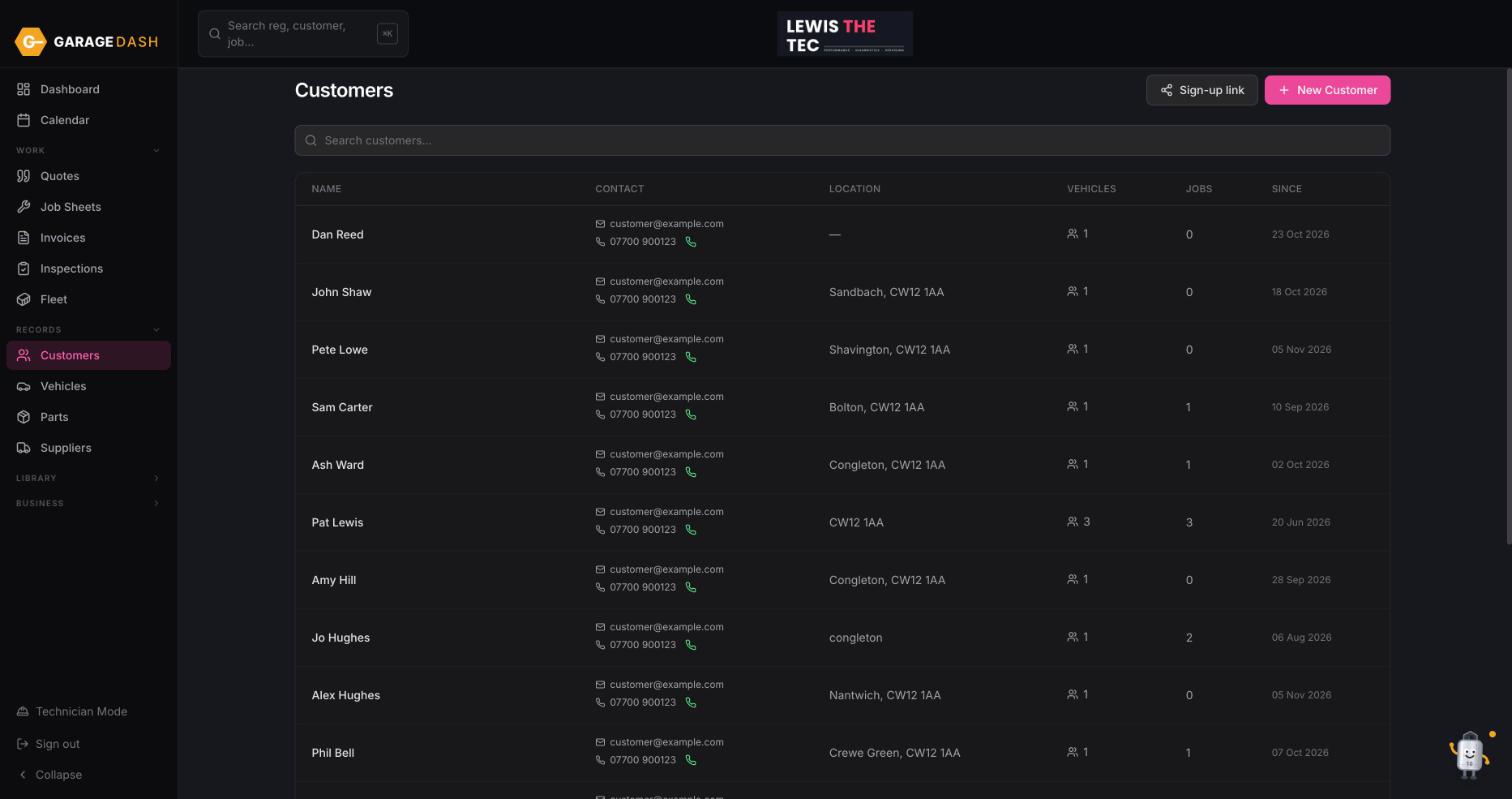
Go to Customers and click Sign-up link
Click Customers in the left menu, then the Sign-up link button next to New Customer.
2
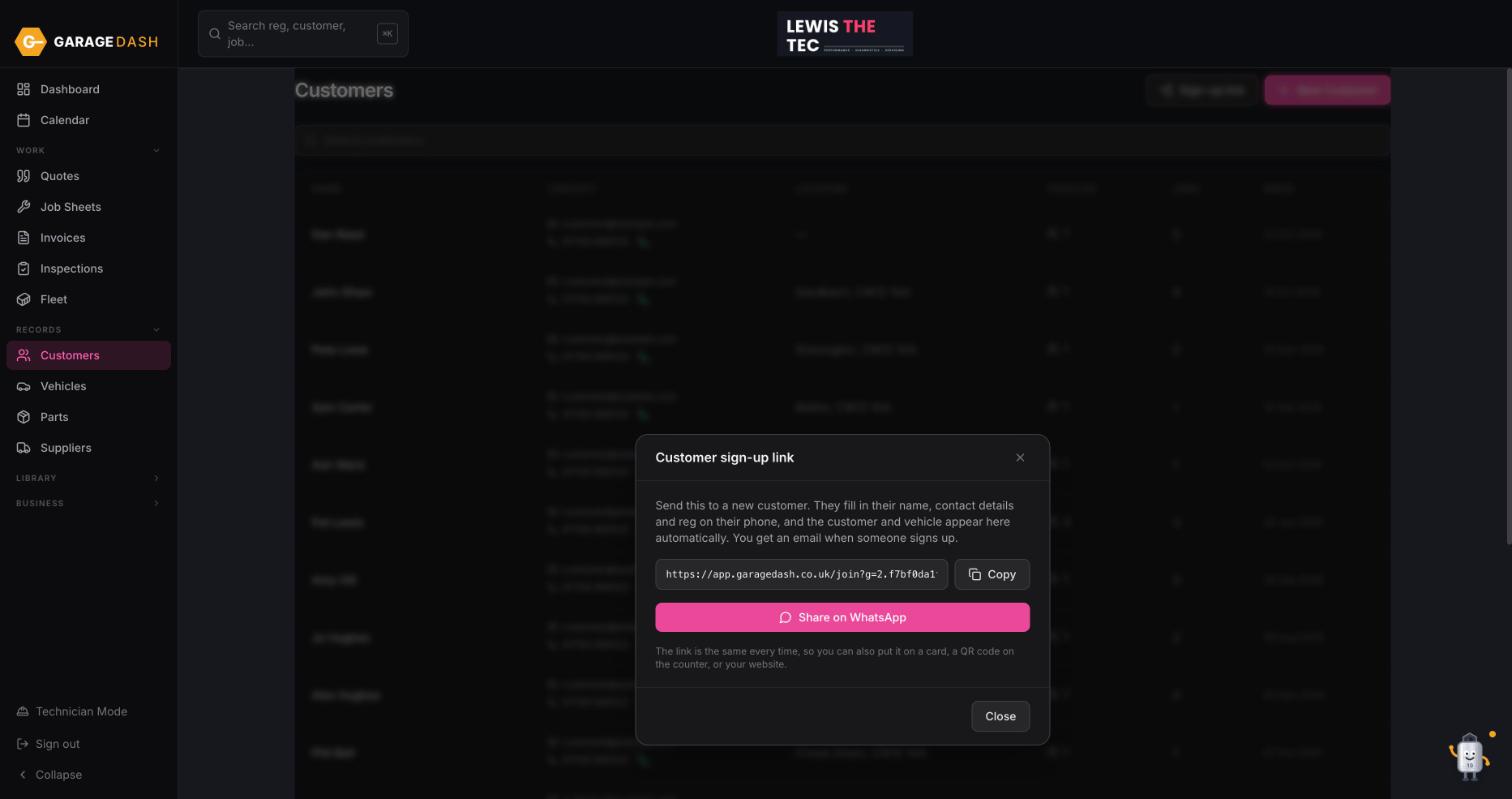
Copy it, or share it straight to WhatsApp
Click Copy to paste it anywhere, or Share on WhatsApp to send it from your phone. The link is the same every time, so you can put it on a business card, a QR code on the counter or your website.
3
The customer fills in a short form on their phone
They enter their name, contact details and registration. The reg is looked up for them, so you get the right make, model and MOT date without anyone spelling anything down the phone.
4
They appear in your Customers list, car attached
You get an email when someone signs up. The customer and their vehicle are already in GarageDash, ready to book.
All the steps on one page
- Go to Customers and click Sign-up link. Click Customers in the left menu, then the Sign-up link button next to New Customer.
- Copy it, or share it straight to WhatsApp. Click Copy to paste it anywhere, or Share on WhatsApp to send it from your phone. The link is the same every time, so you can put it on a business card, a QR code on the counter or your website.
- The customer fills in a short form on their phone. They enter their name, contact details and registration. The reg is looked up for them, so you get the right make, model and MOT date without anyone spelling anything down the phone.
- They appear in your Customers list, car attached. You get an email when someone signs up. The customer and their vehicle are already in GarageDash, ready to book.
More guides
Set up your garage in ten minutes10 min · 6 stepsAdd a customer and their car3 min · 5 stepsBook a job into the calendar2 min · 4 stepsQuote, then job sheet, then invoice4 min · 5 stepsPreset jobs: build them once, quote in seconds3 min · 3 stepsMark an invoice paid or part paid1 min · 3 stepsDo a vehicle health check and email it4 min · 4 stepsTechnician Mode on a workshop tablet2 min · 4 stepsAdd technicians, shifts and time off2 min · 3 stepsInstall GarageDash on your phone1 min · 4 stepsSwitch on MOT reminders1 min · 4 stepsAsk Timmy to do it for you1 min · 3 steps