Day to day · 31-second video
Mark an invoice paid or part paid
Record the money when it arrives, including a part payment, so the Outstanding figure on your dashboard is always true.
Or click through it at your own pace
1
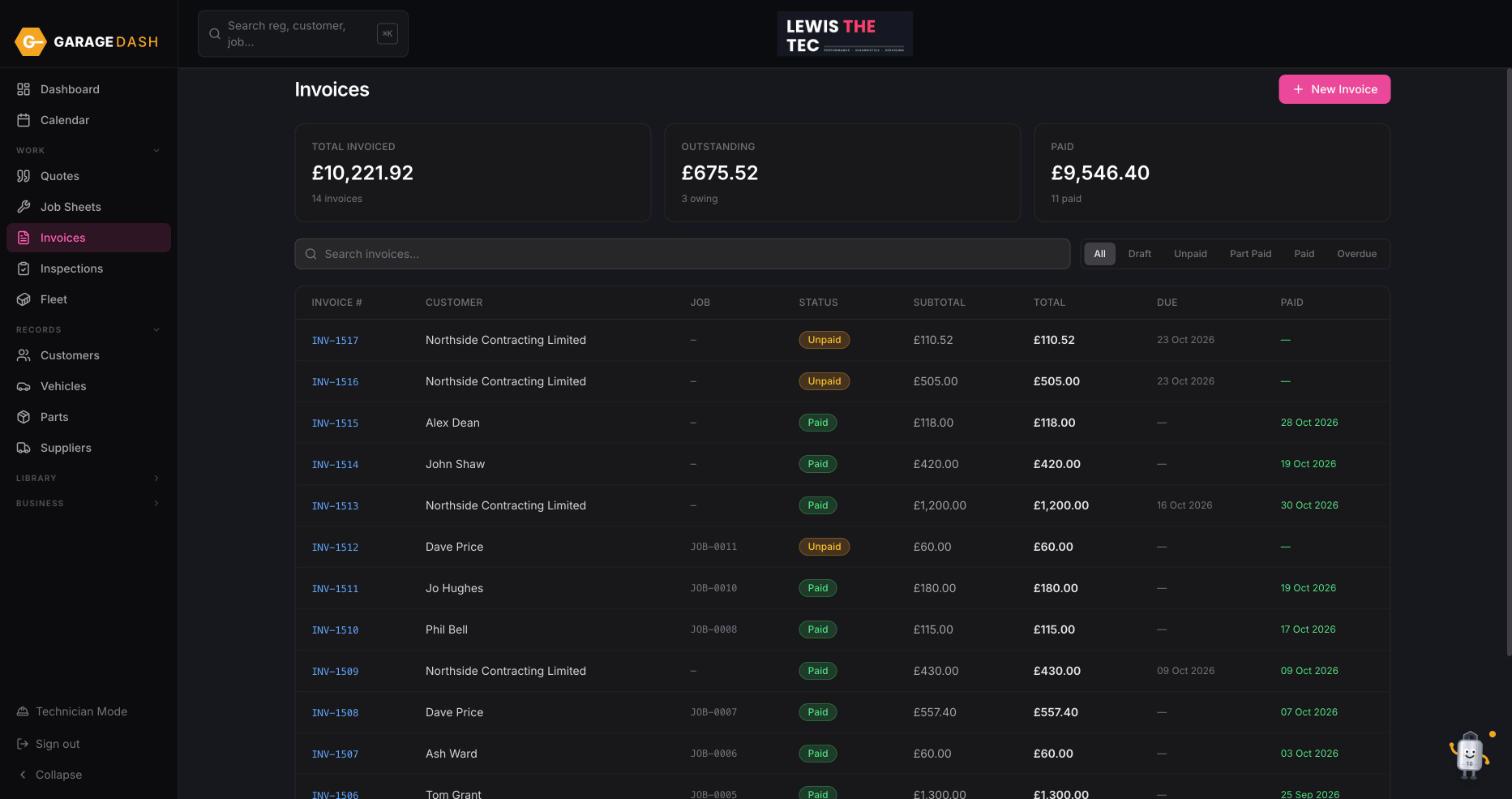
Open the invoice
Click Invoices in the left menu. The filters along the top show Unpaid, Part Paid and Overdue. Click the invoice number to open it.
2
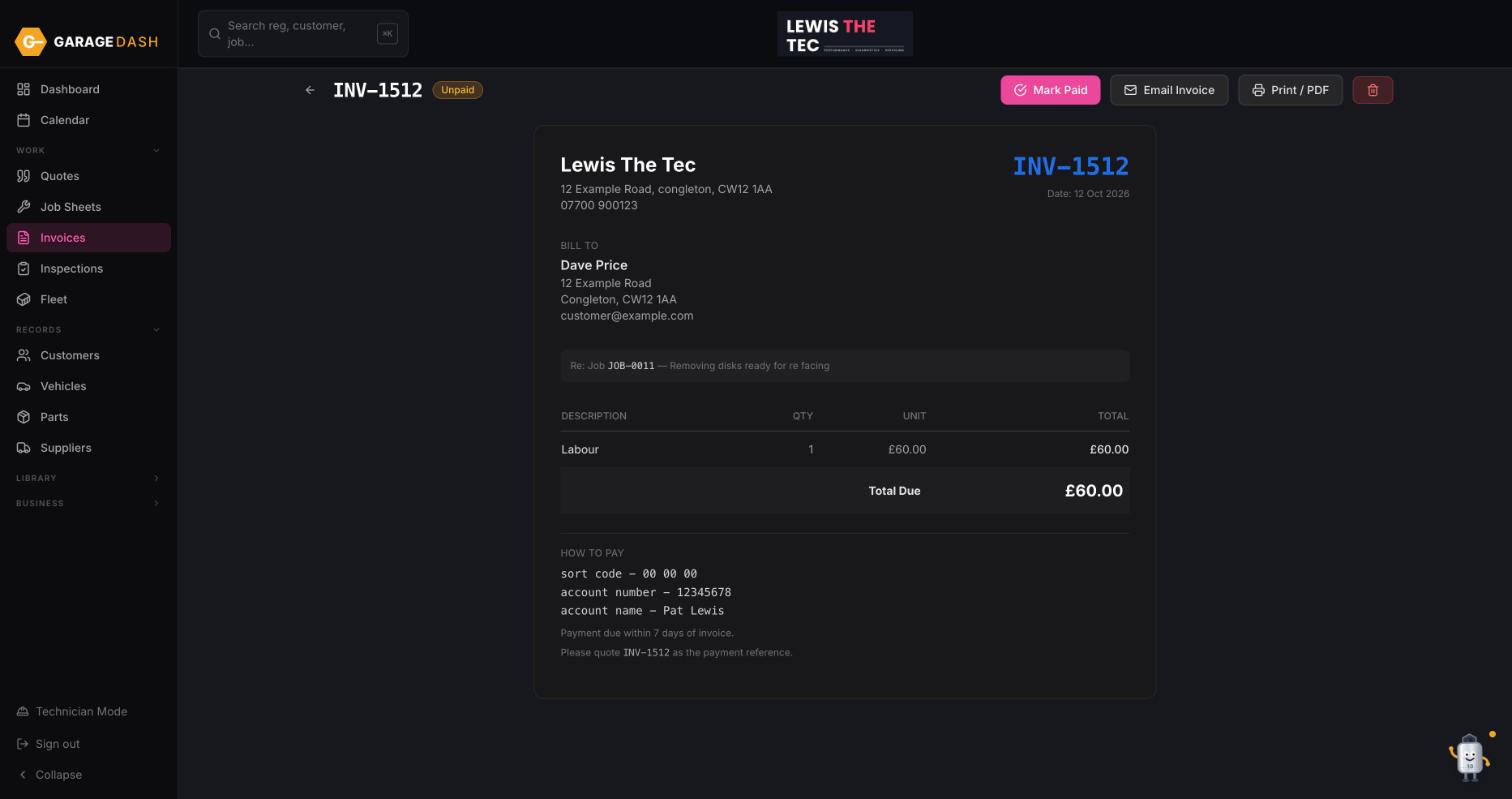
Click Mark Paid
Click the pink Mark Paid button top right. It asks how much you received and fills in the full balance for you.
3
Full amount or part payment
Confirm the full balance and the invoice goes to Paid with today's date. Type a smaller amount and it goes to Part Paid; the button becomes Record Payment so you can add the rest later. The dashboard Outstanding figure updates straight away.
All the steps on one page
- Open the invoice. Click Invoices in the left menu. The filters along the top show Unpaid, Part Paid and Overdue. Click the invoice number to open it.
- Click Mark Paid. Click the pink Mark Paid button top right. It asks how much you received and fills in the full balance for you.
- Full amount or part payment. Confirm the full balance and the invoice goes to Paid with today's date. Type a smaller amount and it goes to Part Paid; the button becomes Record Payment so you can add the rest later. The dashboard Outstanding figure updates straight away.
More guides
Set up your garage in ten minutes10 min · 6 stepsAdd a customer and their car3 min · 5 stepsLet new customers add themselves2 min · 4 stepsBook a job into the calendar2 min · 4 stepsQuote, then job sheet, then invoice4 min · 5 stepsPreset jobs: build them once, quote in seconds3 min · 3 stepsDo a vehicle health check and email it4 min · 4 stepsTechnician Mode on a workshop tablet2 min · 4 stepsAdd technicians, shifts and time off2 min · 3 stepsInstall GarageDash on your phone1 min · 4 stepsSwitch on MOT reminders1 min · 4 stepsAsk Timmy to do it for you1 min · 3 steps