Team and devices · 28-second video
Add technicians, shifts and time off
Each technician gets a colour on the calendar. Time off greys them out so you never book someone who is on holiday.
Or click through it at your own pace
1
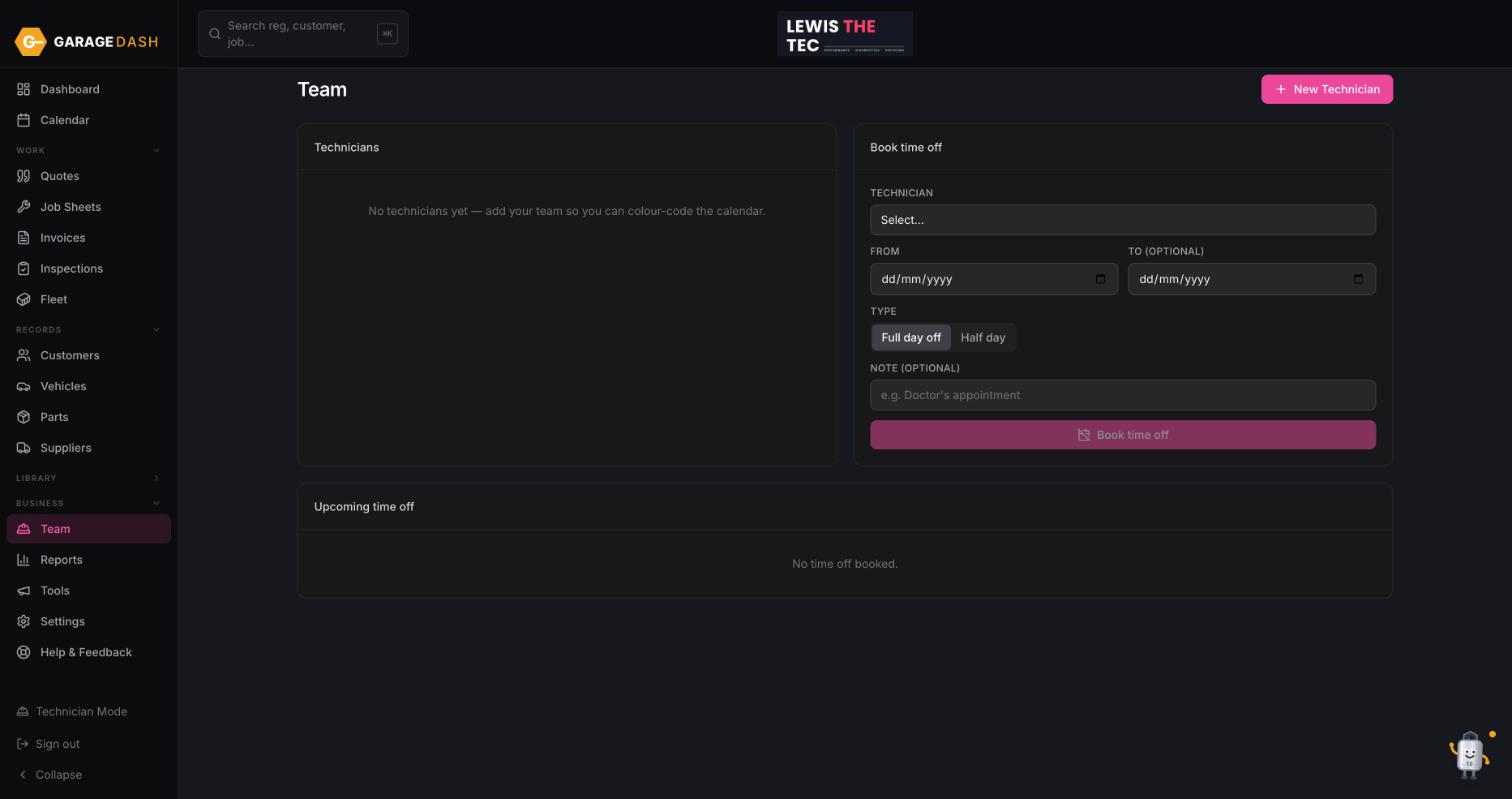
Go to Team and click New Technician
Click Team under Business in the left menu, then New Technician. Give them a name, the days and hours they work, and a colour. Click Save.
2
Book time off
In Book time off, pick the technician, a From date and an optional To date, choose Full day off or Half day, add a note if you like, and click Book time off. It appears under Upcoming time off and on the calendar.
3
Assign them on bookings
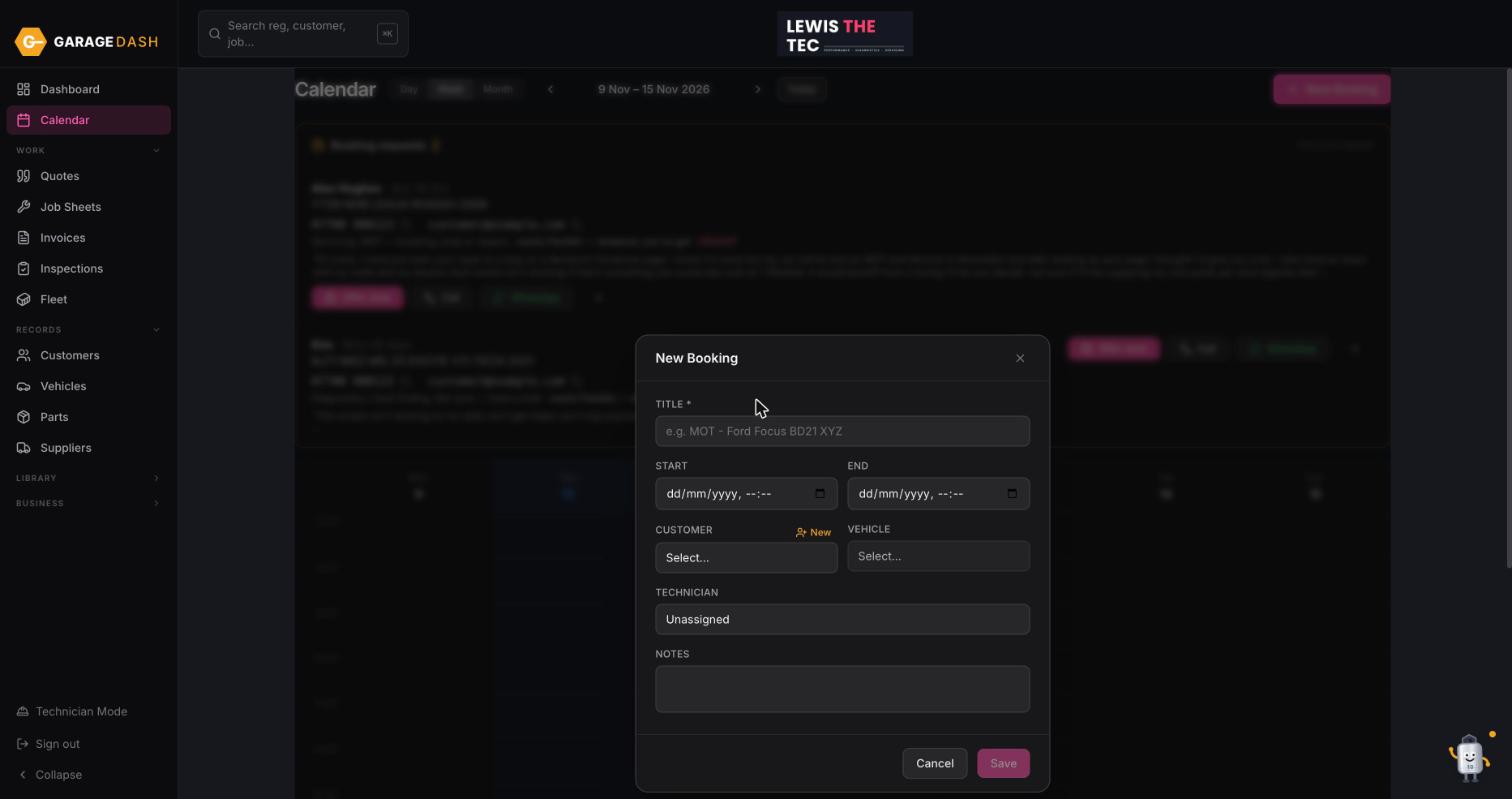
On any booking, choose the technician in the Technician box. The booking takes their colour, so a glance at the week shows who is doing what.
All the steps on one page
- Go to Team and click New Technician. Click Team under Business in the left menu, then New Technician. Give them a name, the days and hours they work, and a colour. Click Save.
- Book time off. In Book time off, pick the technician, a From date and an optional To date, choose Full day off or Half day, add a note if you like, and click Book time off. It appears under Upcoming time off and on the calendar.
- Assign them on bookings. On any booking, choose the technician in the Technician box. The booking takes their colour, so a glance at the week shows who is doing what.
More guides
Set up your garage in ten minutes10 min · 6 stepsAdd a customer and their car3 min · 5 stepsLet new customers add themselves2 min · 4 stepsBook a job into the calendar2 min · 4 stepsQuote, then job sheet, then invoice4 min · 5 stepsPreset jobs: build them once, quote in seconds3 min · 3 stepsMark an invoice paid or part paid1 min · 3 stepsDo a vehicle health check and email it4 min · 4 stepsTechnician Mode on a workshop tablet2 min · 4 stepsInstall GarageDash on your phone1 min · 4 stepsSwitch on MOT reminders1 min · 4 stepsAsk Timmy to do it for you1 min · 3 steps