Switch on MOT reminders
One tick. Every customer with a car on file gets an email before the MOT runs out, with your name and number on it and a button to book.
Or click through it at your own pace
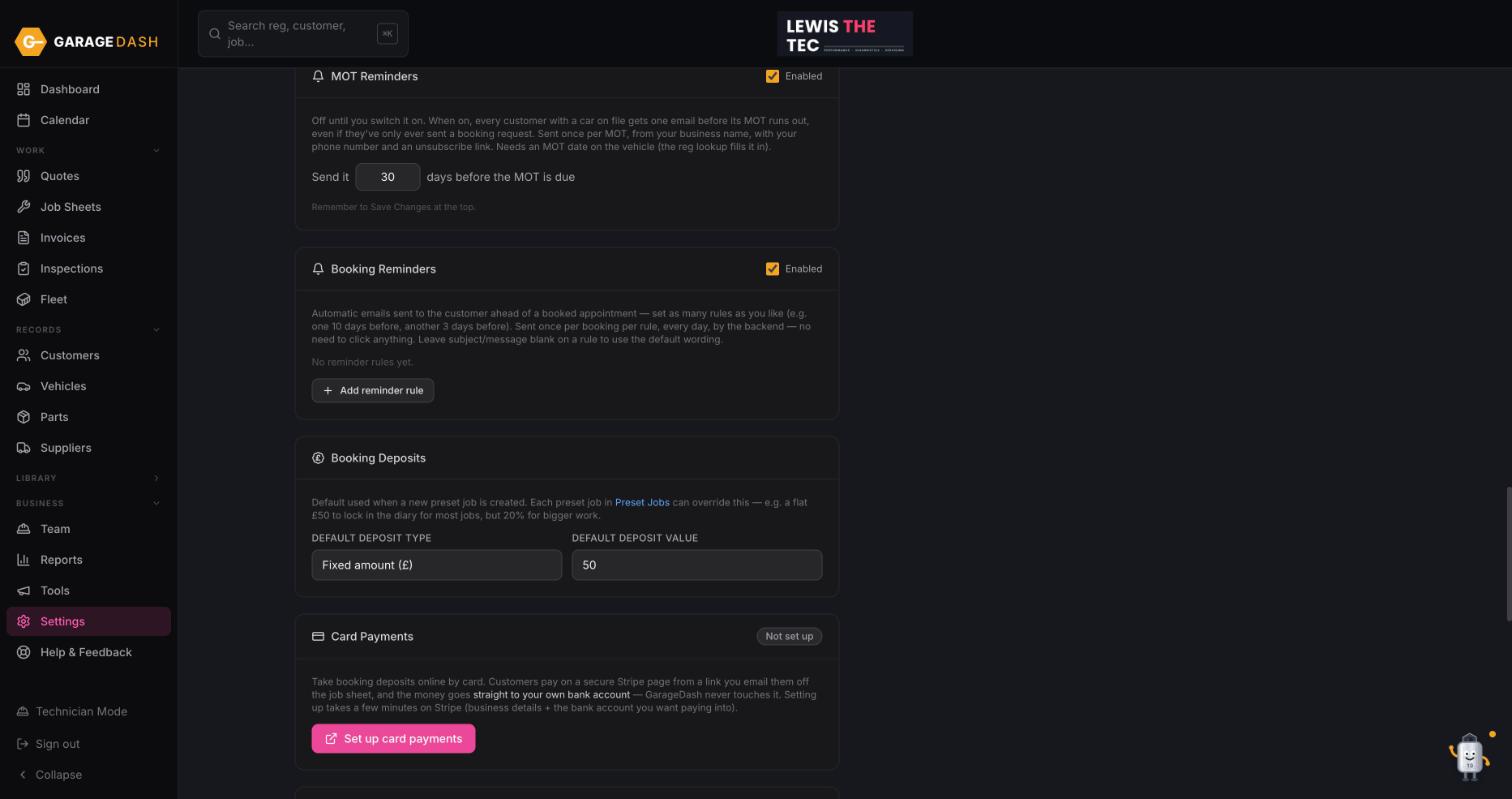
Open Settings and scroll to MOT Reminders
Click Settings and scroll down to MOT Reminders. It is off until you switch it on.
Tick Enabled and choose how many days before
Tick Enabled. Set Send it ... days before the MOT is due; 30 is a good default. Each customer gets one email per MOT, sent from your business name with your phone number and an unsubscribe link.
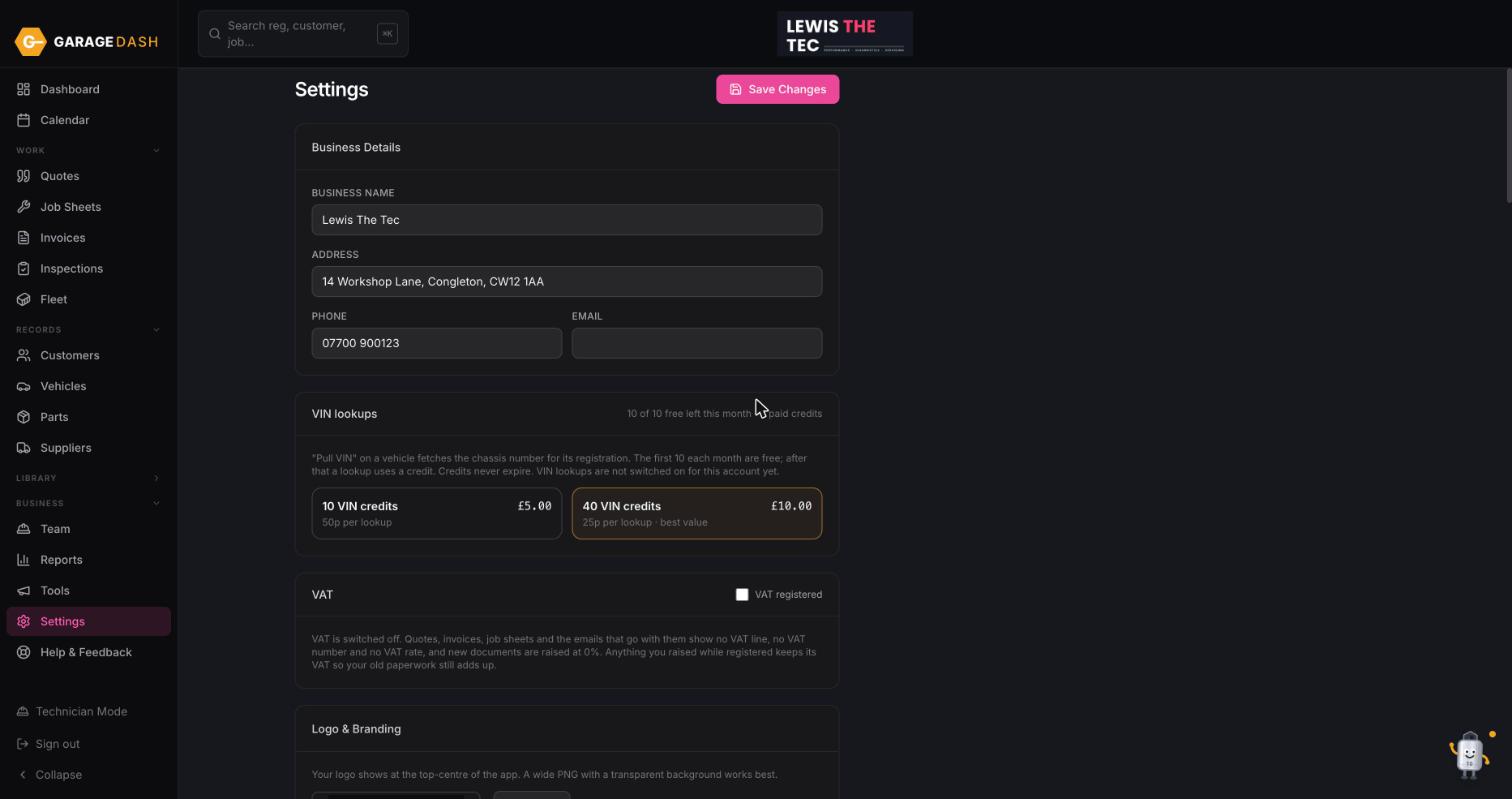
Click Save Changes at the top
Scroll up and click Save Changes. From then on the reminders go out by themselves every morning. Nothing to click.
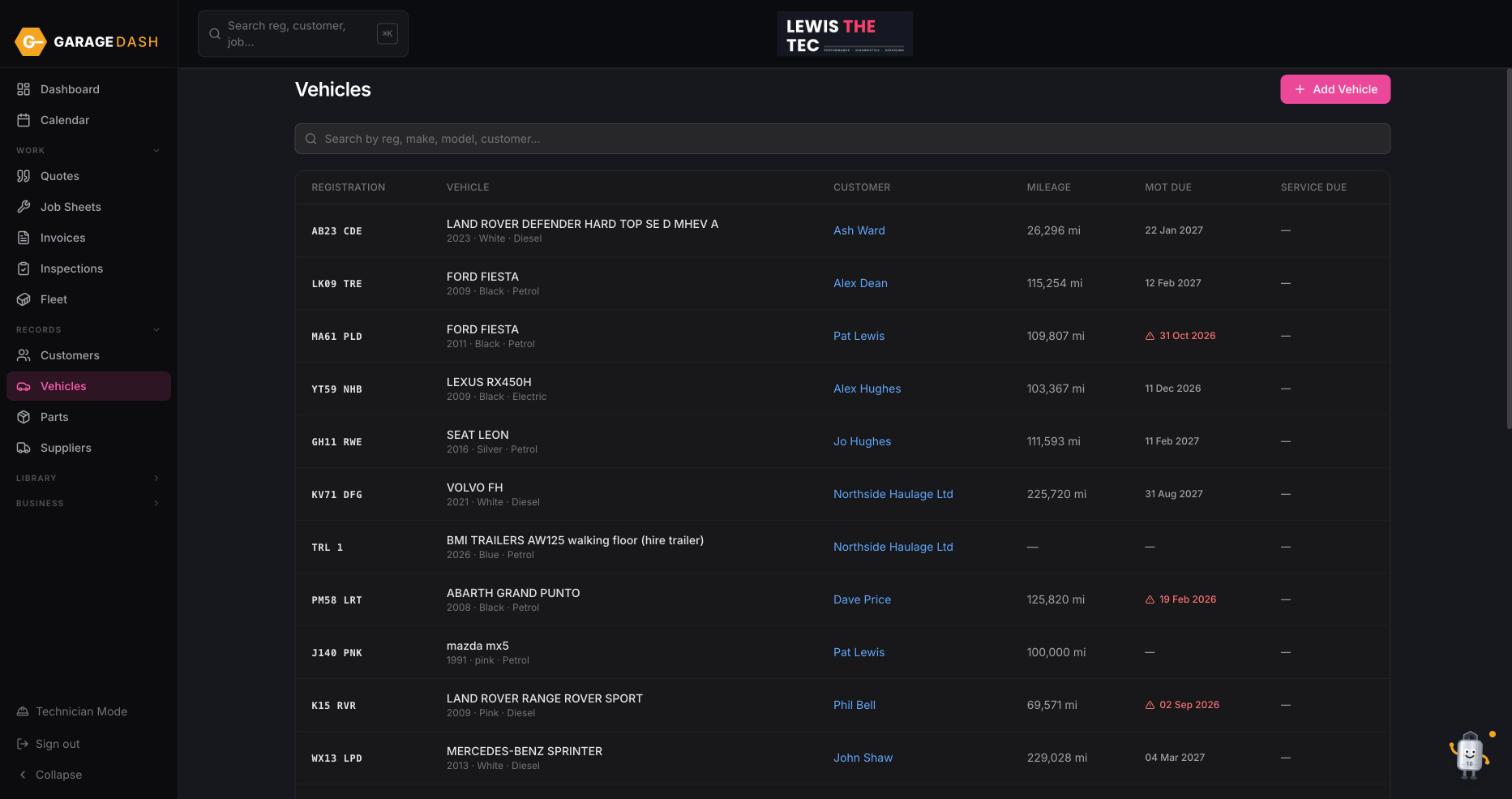
Make sure your cars have an MOT date
The reminder needs an MOT due date on the vehicle. The reg look-up fills it in when you add a car; for older records, open the vehicle and click Look up once. The MOT Due column on the Vehicles page shows which ones are set.
All the steps on one page
- Open Settings and scroll to MOT Reminders. Click Settings and scroll down to MOT Reminders. It is off until you switch it on.
- Tick Enabled and choose how many days before. Tick Enabled. Set Send it ... days before the MOT is due; 30 is a good default. Each customer gets one email per MOT, sent from your business name with your phone number and an unsubscribe link.
- Click Save Changes at the top. Scroll up and click Save Changes. From then on the reminders go out by themselves every morning. Nothing to click.
- Make sure your cars have an MOT date. The reminder needs an MOT due date on the vehicle. The reg look-up fills it in when you add a car; for older records, open the vehicle and click Look up once. The MOT Due column on the Vehicles page shows which ones are set.