Team and devices · 32-second video
Technician Mode on a workshop tablet
A bigger-buttoned view for the shared tablet in the workshop. Technicians see today's jobs and the job sheets. No prices, no reports, no settings.
Or click through it at your own pace
1
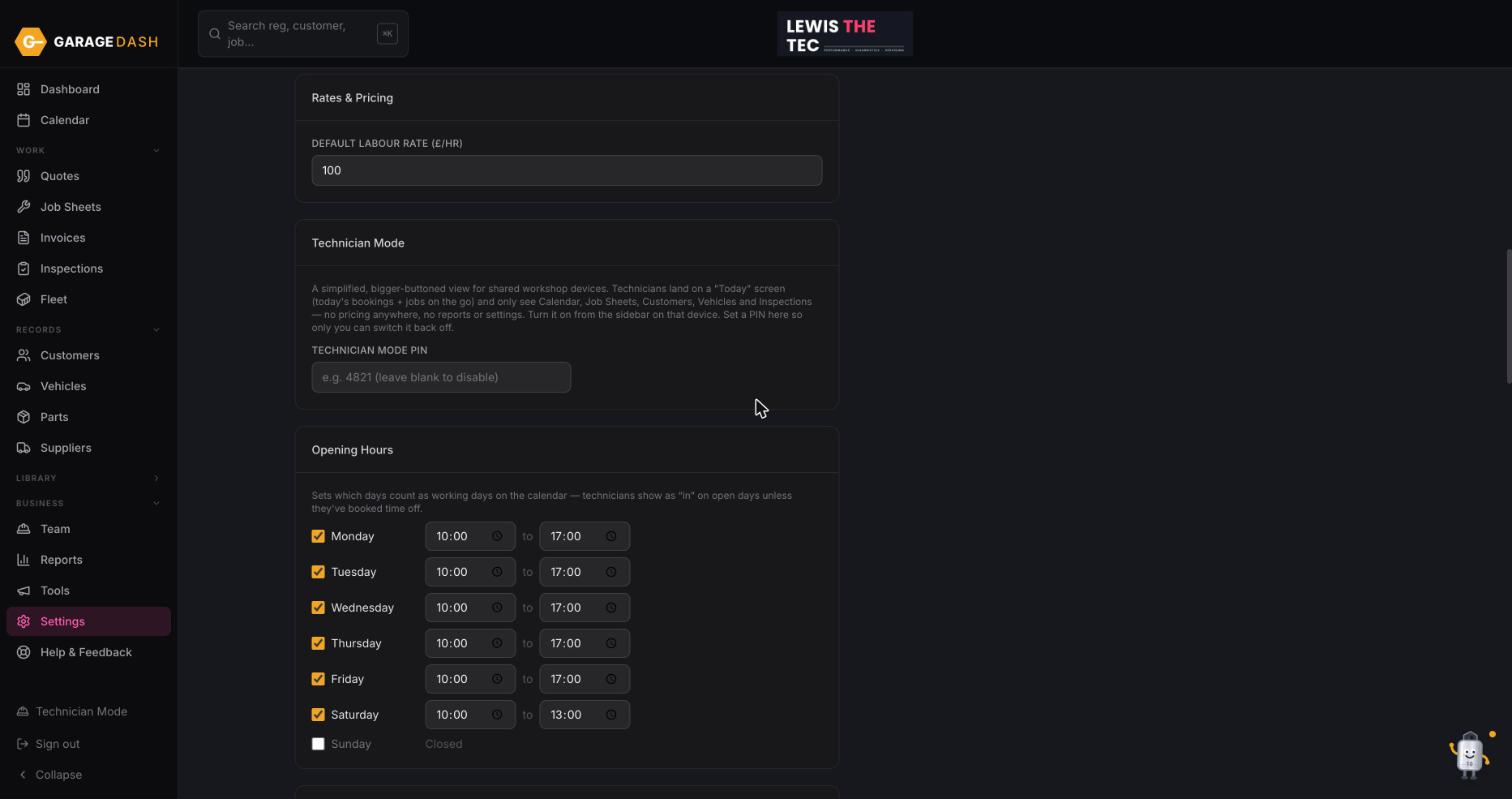
Set a PIN in Settings
In Settings, under Technician Mode, type a four-digit Technician Mode PIN and click Save Changes. The PIN is what gets you back out, so only you can switch it off.
2
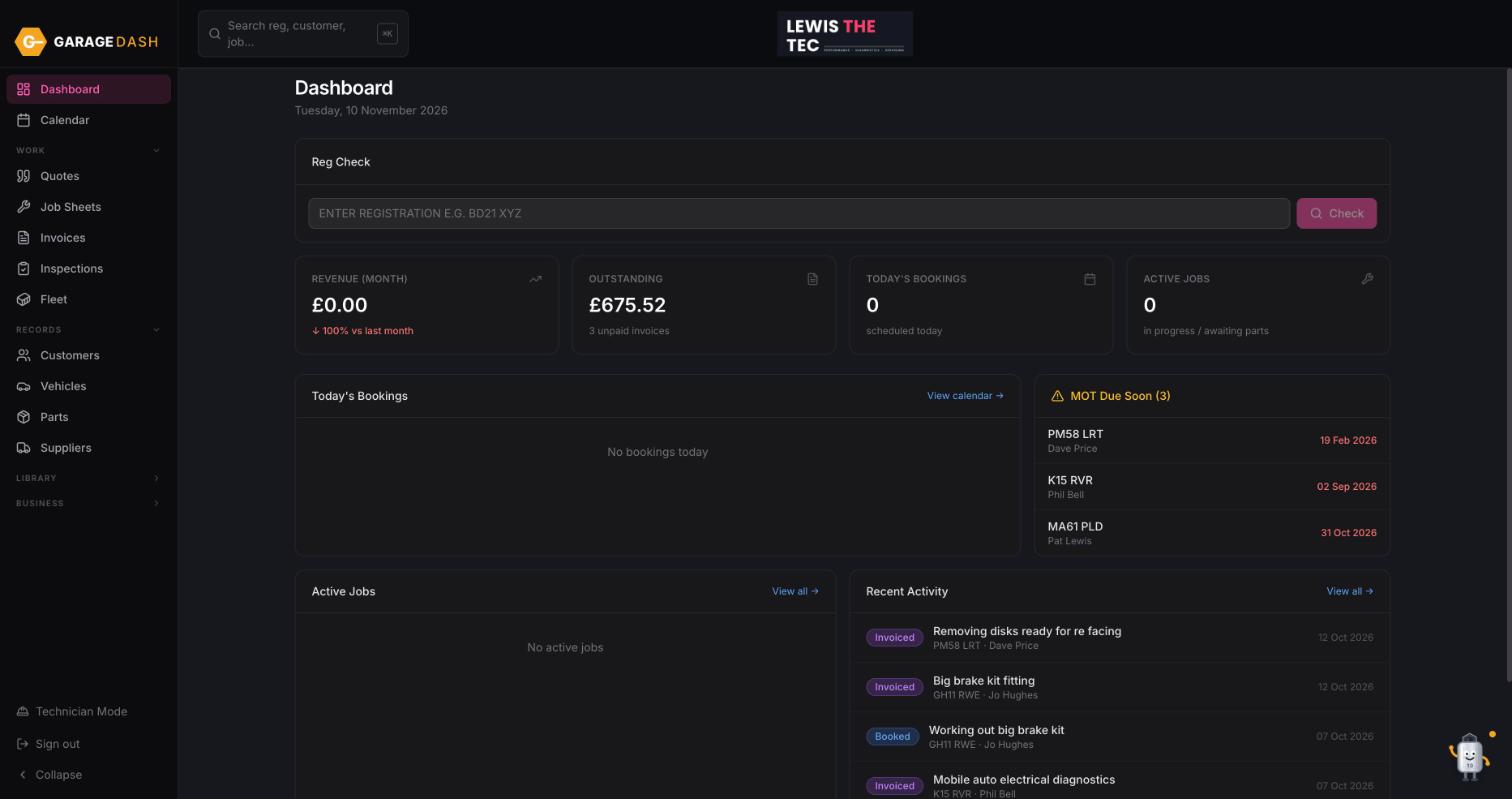
On the tablet, click Technician Mode in the sidebar
Sign in on the workshop device and click Technician Mode at the bottom of the left menu. It applies to that device only; your own computer stays in the full view.
3
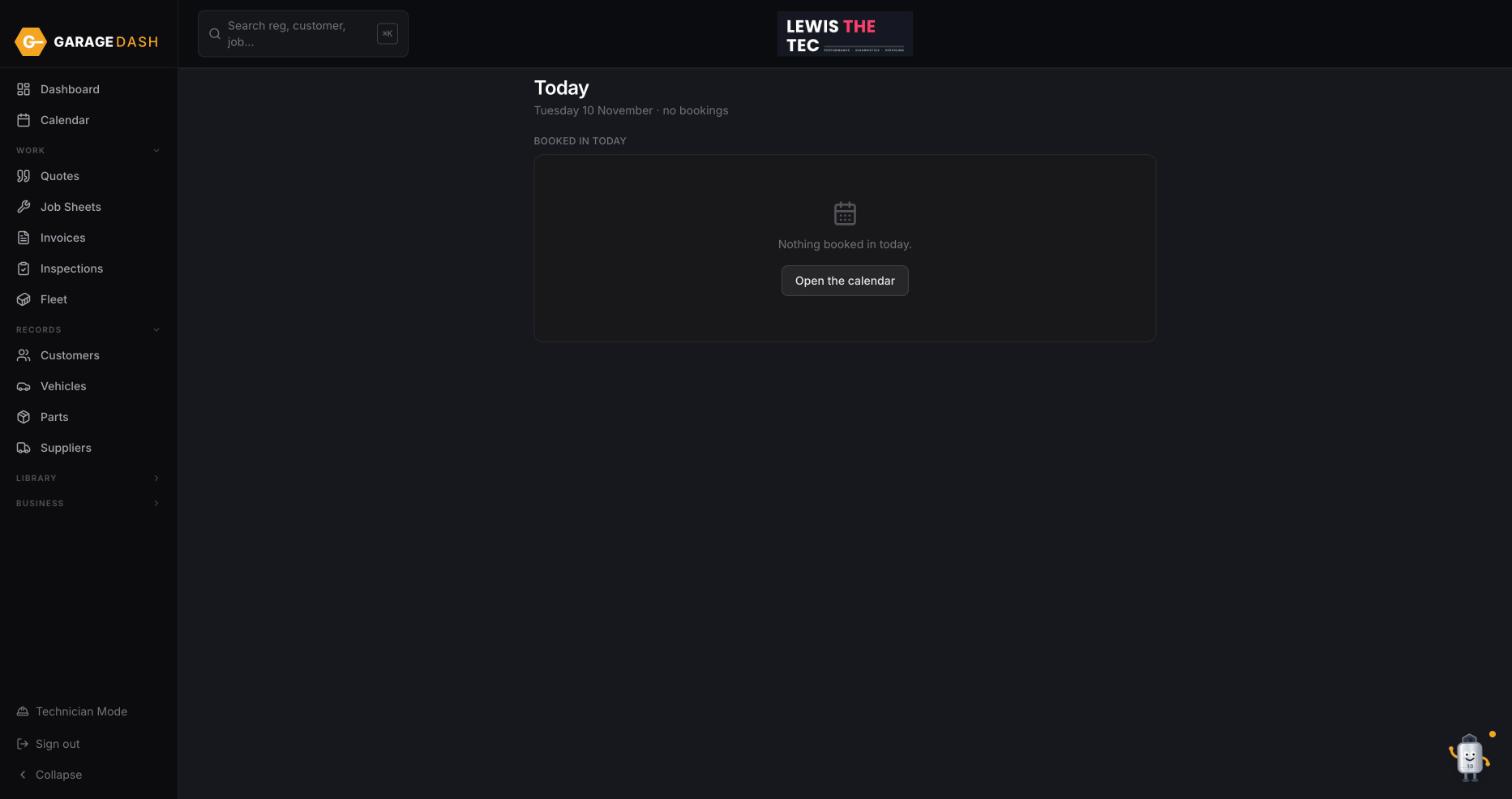
Technicians land on Today
The Today screen shows what is booked in and the jobs on the go. From here they can open the job sheet, tick lines, do an inspection and look up a customer or car. Nothing shows a price.
4
Exit with the PIN
To get back to the full app, click Exit Technician Mode and type the PIN.
All the steps on one page
- Set a PIN in Settings. In Settings, under Technician Mode, type a four-digit Technician Mode PIN and click Save Changes. The PIN is what gets you back out, so only you can switch it off.
- On the tablet, click Technician Mode in the sidebar. Sign in on the workshop device and click Technician Mode at the bottom of the left menu. It applies to that device only; your own computer stays in the full view.
- Technicians land on Today. The Today screen shows what is booked in and the jobs on the go. From here they can open the job sheet, tick lines, do an inspection and look up a customer or car. Nothing shows a price.
- Exit with the PIN. To get back to the full app, click Exit Technician Mode and type the PIN.
More guides
Set up your garage in ten minutes10 min · 6 stepsAdd a customer and their car3 min · 5 stepsLet new customers add themselves2 min · 4 stepsBook a job into the calendar2 min · 4 stepsQuote, then job sheet, then invoice4 min · 5 stepsPreset jobs: build them once, quote in seconds3 min · 3 stepsMark an invoice paid or part paid1 min · 3 stepsDo a vehicle health check and email it4 min · 4 stepsAdd technicians, shifts and time off2 min · 3 stepsInstall GarageDash on your phone1 min · 4 stepsSwitch on MOT reminders1 min · 4 stepsAsk Timmy to do it for you1 min · 3 steps