Do a vehicle health check and email it
Pass, advisory or fail on every item, photos attached, and a branded report the customer opens on their phone.
Or click through it at your own pace
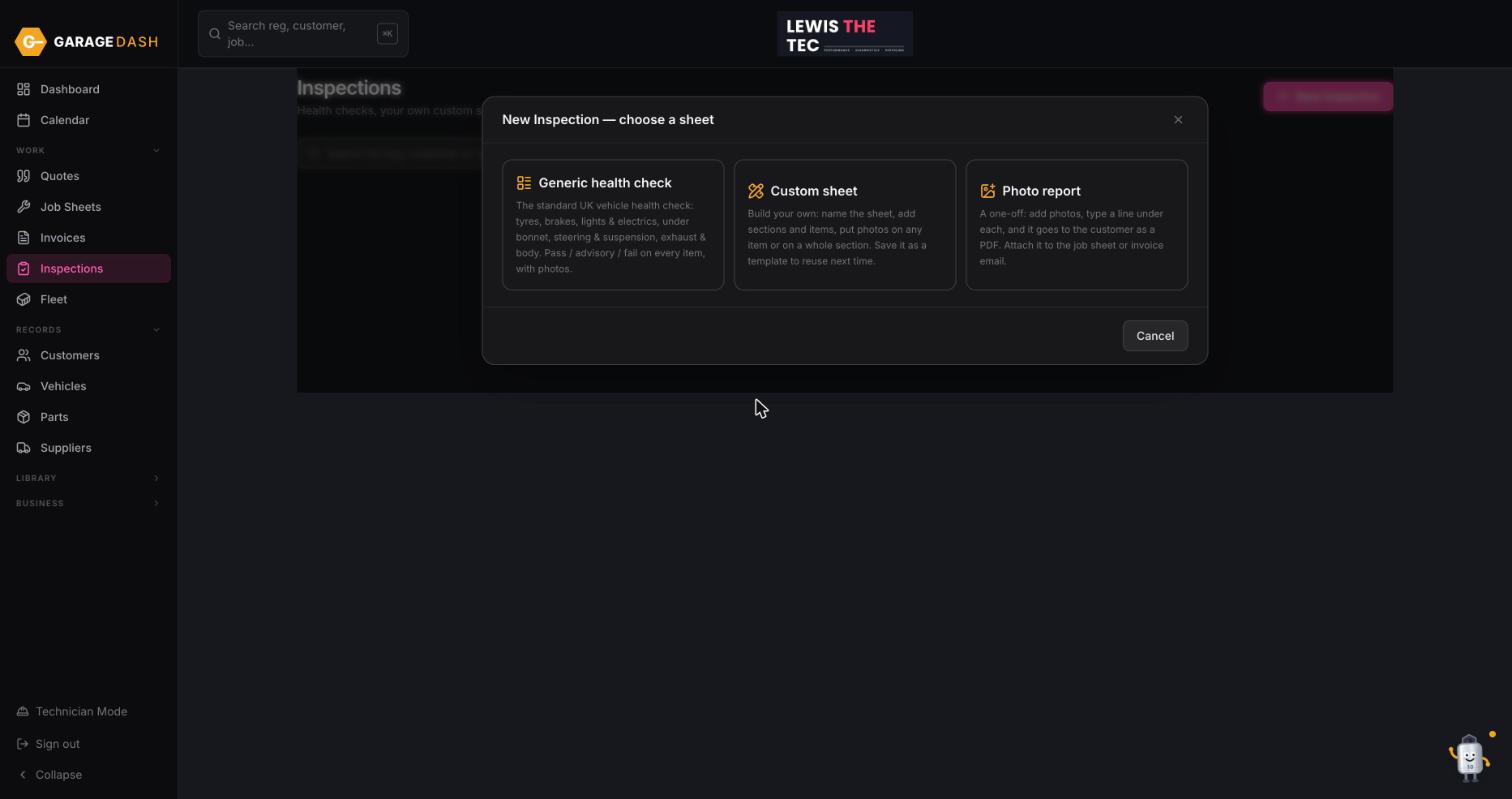
Go to Inspections and click New Inspection
Click Inspections in the left menu, then New Inspection top right.
Choose a sheet
Generic health check is the standard UK check: tyres, brakes, lights and electrics, under bonnet, steering and suspension, exhaust and body. Custom sheet lets you build your own and save it as a template. Photo report is a quick one-off: photos with a line under each.
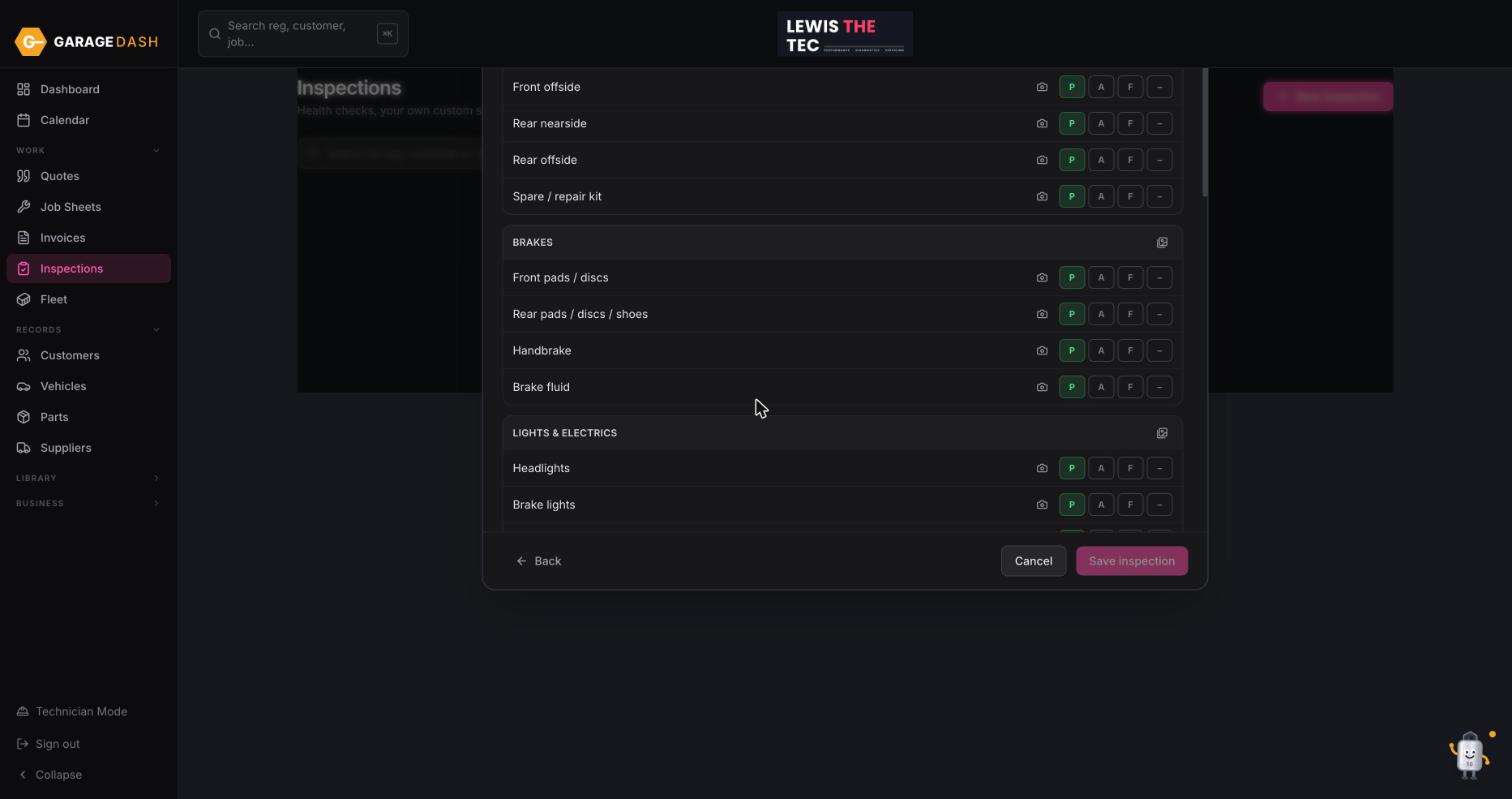
Pick the car and work down the list
Choose the vehicle, then tap Pass, Advisory or Fail on each item. Add a photo to anything you want the customer to see for themselves: the bald tyre, the leaking shock. Type a note where it helps. Click Save.
Email it, print it, or attach it to the job
From the list, the envelope icon emails the report with your logo on it. You can print it, or attach it to the job sheet or invoice so the advisory work is in front of the customer when they pay.
All the steps on one page
- Go to Inspections and click New Inspection. Click Inspections in the left menu, then New Inspection top right.
- Choose a sheet. Generic health check is the standard UK check: tyres, brakes, lights and electrics, under bonnet, steering and suspension, exhaust and body. Custom sheet lets you build your own and save it as a template. Photo report is a quick one-off: photos with a line under each.
- Pick the car and work down the list. Choose the vehicle, then tap Pass, Advisory or Fail on each item. Add a photo to anything you want the customer to see for themselves: the bald tyre, the leaking shock. Type a note where it helps. Click Save.
- Email it, print it, or attach it to the job. From the list, the envelope icon emails the report with your logo on it. You can print it, or attach it to the job sheet or invoice so the advisory work is in front of the customer when they pay.